
15 seconds · 2 roles · 1 elevator
I Love the Smiths AI Video
Recreate the “I love the Smiths” elevator scene with your photos. Cast the listener and speaker in a 15-second AI video with English dialogue.
Video examples
See how the two cast photos look in the generated video. You can replace the cast in the form above.
AI-generated elevator scene
Example inputs
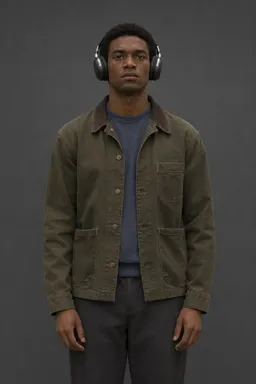 Listener · wears the headphones
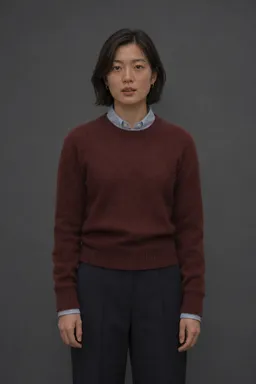 Speaker · says the line
Background and origins
What movie is the “I Love the Smiths” scene from?
The elevator scene comes from Marc Webb’s 2009 film (500) Days of Summer. Summer (Zooey Deschanel) hears music from Tom’s (Joseph Gordon-Levitt) headphones and tells him she loves The Smiths. The song is “There Is a Light That Never Goes Out” by The Smiths.
The trend recasts the two roles with photos. Animaiva’s version stages the encounter in a single fixed shot. The listener stands on the left, the speaker on the right, and both wait in the elevator at the end.
What does the AI template generate?
The model creates a new 15-second video with English dialogue and background sound. Each take can vary in timing, expression and lip sync. Animaiva is independent of the film and the band.
Step by step
How to make a I Love the Smiths video
- Cast the listener and speaker
Use a clear, well-lit portrait for each role you want to replace. Put your photo in the speaker slot to say the line, or in the listener slot to wear the headphones. Any slot you leave alone uses its sample portrait.
- Choose the framing
Pick 9:16 for a vertical short or 16:9 for a wide two-shot. The template supplies the matching elevator setting, headphones and scene directions. Select a model and resolution, then check the credit quote.
- Generate, watch and download
Sign in, confirm you have permission to use the photos, and submit. Open the task details for progress. When the video is ready, turn on sound and check both roles, the dialogue and lip sync before downloading.
FAQ
I Love the Smiths FAQ
Answers about your photos, the soundtrack, credits and getting your video.
Can I make the elevator scene with one photo?
Yes. Replace the listener to wear the headphones or the speaker to deliver the line. The other role keeps its sample portrait. You can also replace both roles or try the scene with both samples. Upload JPG or PNG photos up to 5 MB each.
Which aspect ratio and length can I choose?
The scene runs for 15 seconds. Choose 9:16 portrait or 16:9 landscape. The elevator reference changes with the framing and your portraits stay in their roles. Available resolutions depend on the selected model.
Does the video include the original song?
The AI model generates the voices and background sound for each take. The film audio and the band’s original recording are not supplied. You can add music you have permission to use after downloading the video.
How are credits charged, and when will the video be ready?
The model, resolution and template duration determine the cost. Check the quote in the generator before you submit. Credits are reserved on submission; completion time depends on the provider and queue, so follow the task status rather than a fixed countdown.
Where is my result if I leave the page or lose the connection?
Reopen the task from your task history. Its details show progress and, when ready, the video player and download link. A lost connection does not prove generation failed. Check the existing task and credit record before starting another; confirmed failures that produce no video release reserved credits, while a generated video still uses credits if delivery is blocked by moderation.
Will the faces and movements match the examples exactly?
The examples show a possible result, not a guaranteed take. AI can alter faces, hands, timing and small details. Give each role a clear, unobstructed reference photo and review the entire clip before sharing. Making a different take creates a new generation with its own displayed cost.
Are my reference photos and videos publicly visible?
Your uploads and personal results are kept in private storage and require account ownership checks to access. The references are processed by generation and safety-check providers to fulfill the request. Removing a photo from the form does not erase a previous upload. Request deletion through account support and see the Privacy Policy for retention details.